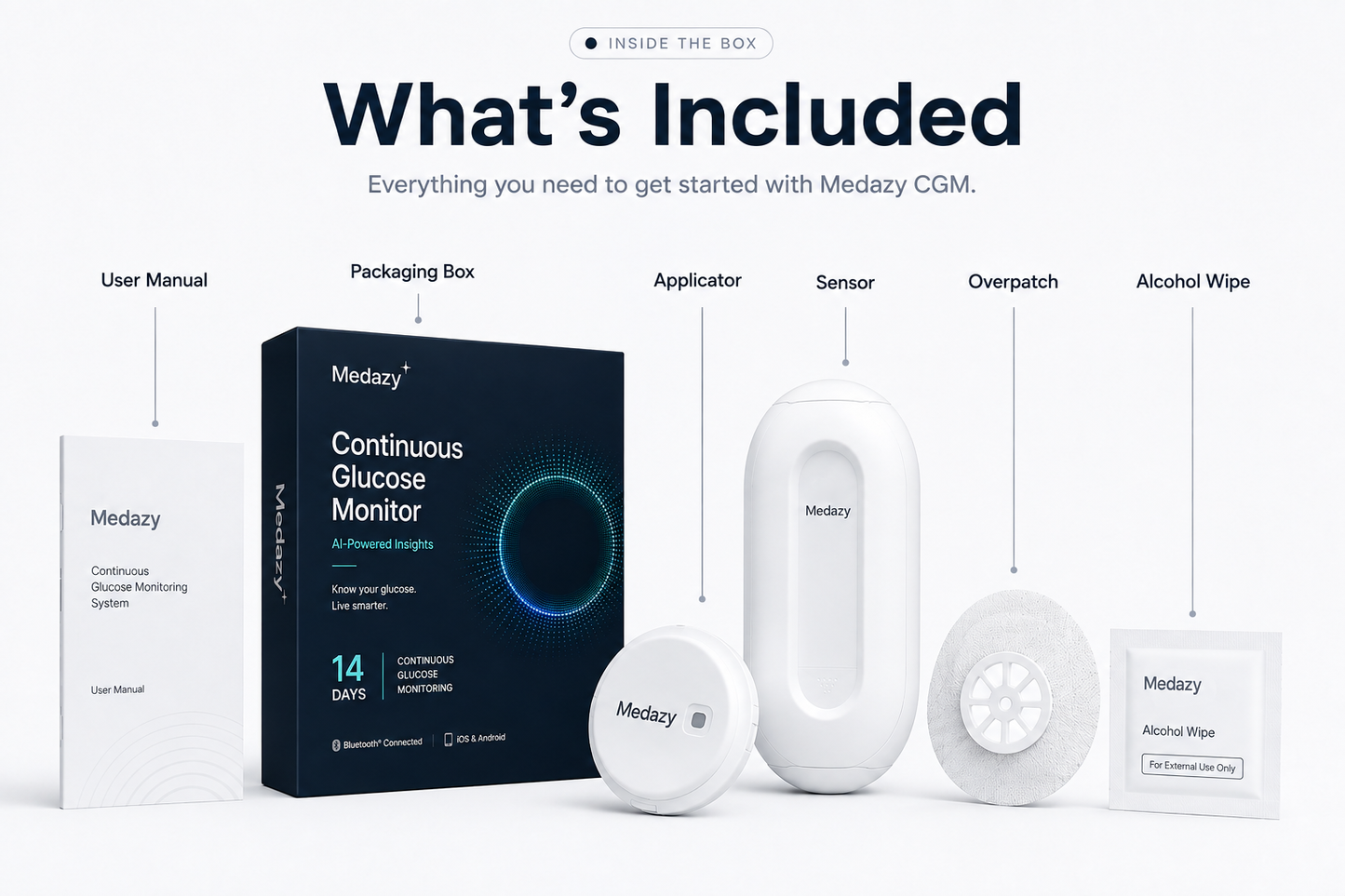
Medazy 14‑Day Continuous Glucose Monitoring System
(8963 Reviews)
Regular price
$89.99
Regular price
$89.99
Sale price
$159.98
Unit price/ per
SAVE 43%
Sold out
About Medazy CGM
Continuous glucose insights for everyday life
Medazy Continuous Glucose Monitoring System helps you see
how your glucose changes throughout the day and night.
Instead of relying only on individual fingerstick readings,
you can follow glucose trends and better understand how
meals, activity, sleep, and everyday routines affect your levels.
Up to 14 days of sensor wear
Continuous glucose trend visibility
High and low glucose alerts
IPX8 water-resistant design
View glucose trends on your compatible phone
Share glucose data with people you trust
See the pattern, not just the number.
Connect & Activate Your Sensor
Follow the quick setup guide after applying your sensor
Setup Guide
Watch the detailed walkthrough first, then use the
three quick steps below to complete your sensor setup.
Click to watch the detailed tutorial
APP · BLUETOOTH · NFC ACTIVATION
01
Download the App
Download the compatible app specified in your
Medazy User Manual, then open the app and follow
the on-screen setup instructions.
02
Turn On Bluetooth
Enable Bluetooth on your smartphone and keep the
phone close to the sensor. Follow the prompts in
the app to complete the connection.
03
Scan & Activate with NFC
When prompted by the app, bring the NFC area of
your smartphone close to the sensor and scan it
to activate the sensor.
✓
Setup complete.
Once activation is confirmed in the app, follow the
on-screen instructions to begin using your sensor.
!
Keep Bluetooth enabled while using the sensor and
always follow the latest Medazy User Manual and
in-app instructions for pairing and activation.
Pay confidently with our secure methods
Card information is secure and protected
We follow PCI DSS and other security standards when handling card data


 Card information is secure and protected